LMS
LMS
Last updated on 19th May 2026| 4606

- Introduction to Google Gemini Tutorial for Beginners
- Getting Started
- Interface Overview
- Core Features
- Text and Content Generation
- Image and File Analysis
- Integration with Google Workspace
- Tools and Platforms
- Ethics and Responsible Use
- Conclusion and Next Steps
Introduction to Google Gemini Tutorial for Beginners
Google Gemini is an advanced Artificial Intelligence platform developed by Google to provide intelligent assistance for text generation, image understanding, coding, research, and productivity tasks. It uses powerful multimodal AI models that can process text, images, files, and other forms of data simultaneously. Gemini helps users perform tasks such as content writing, summarization, question answering, and file analysis efficiently. The platform is integrated with various Google services, making it useful for students, businesses, developers, and professionals in Gen AI Course. Combining deep learning, natural language processing, and computer vision, Gemini delivers accurate and human-like responses. Its user-friendly interface and smart capabilities make AI technology more accessible for both beginners and advanced users. Learning Google Gemini helps freshers understand modern AI systems and improve productivity using intelligent digital tools.

Getting Started
- Account Setup: Get started with Google Gemini by signing in using your Google account. The simple setup process provides instant access to AI-powered features across web and mobile devices.
- Exploring Features: Gemini supports conversational AI, text generation, document summarization, file uploads, image analysis, coding assistance, and research, helping beginners quickly understand its capabilities.
- Prompt Writing: Writing clear, specific, and detailed prompts improves the accuracy and relevance of AI-generated responses. To develop effective prompt engineering skills, explore the Gen AI Course.
- Learning Workflow: Begin with simple tasks such as summarizing documents, answering questions, and generating content before progressing to coding, data analysis, research, and advanced AI workflows.
- Productivity Benefits: Gemini streamlines repetitive tasks, enhances creativity, improves collaboration, and increases productivity for students, developers, researchers, and business professionals.
Get Your Gen AI Certification by Learning from Industry-Leading Experts and Advancing Your Career with ACTE’s Gen AI Course.
Core Features
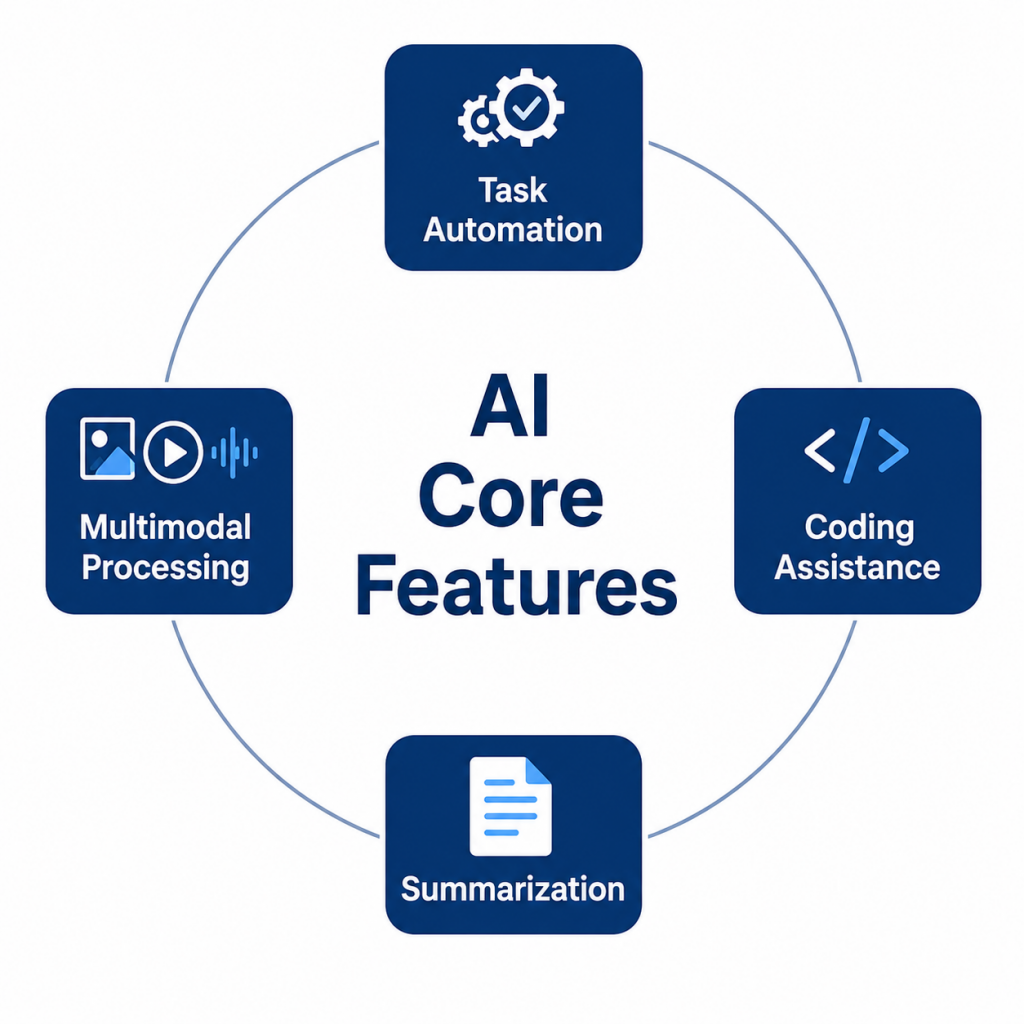
- Conversational AI: Google Gemini delivers natural, human-like conversations by understanding context, answering questions, generating content, and assisting users with a wide range of personal, academic, and professional tasks.
- Multimodal Processing: Gemini can process text, images, documents, and other supported file formats simultaneously, combining natural language processing and computer vision to solve complex tasks. Learn more about the technology behind these capabilities in the Large Language Model Tutorial for Freshers.
- Summarization: Gemini efficiently summarizes lengthy articles, research papers, reports, emails, and documents into clear, concise insights, helping users save time and improve productivity.
Text and Content Generation
Google Gemini provides advanced text generation capabilities for creating blogs, emails, reports, summaries, social media content, technical documentation, and creative writing. By understanding user prompts and context, Gemini generates natural, well-structured, and grammatically accurate content tailored to different writing styles and use cases. Businesses use Gemini to streamline marketing, customer communication, and content creation, while students, researchers, and professionals rely on it for brainstorming, paraphrasing, research assistance, and document drafting. Integrating Gemini with frameworks covered in the LangChain Tutorial for Freshers further enhances AI-powered application development and workflow automation. Writing clear and specific prompts helps users generate more relevant, accurate, and high-quality content for a wide range of real-world applications.

Interface Overview
Google Gemini features a clean, intuitive interface designed to simplify AI-powered conversations, content creation, and productivity tasks. The interface includes chat windows, prompt input fields, file upload options, conversation history, and multimodal capabilities that allow users to work with text, images, documents, and other supported file types in a single workspace. Its responsive design ensures a consistent experience across desktops, tablets, and mobile devices, making it easy to access Gemini from anywhere. Beginners can quickly learn AI workflows, while professionals benefit from efficient task management, collaboration, and content generation. To expand your knowledge of conversational AI, explore the ChatGPT and LLM Tutorials for Beginners, which covers the fundamentals of modern large language models and AI assistants.

Get JOB Oriented Gen AI Training for Beginners By MNC Experts
- Instructor-led Sessions
- Real-life Case Studies
- Assignments
Image and File Analysis
- Image Understanding: Google Gemini analyzes uploaded images to identify objects, scenes, text, charts, and visual context with high accuracy. It helps users understand complex visuals, supports object recognition, and enables practical computer vision applications for education, research, and business.
- File Processing: Gemini can process PDFs, Word documents, presentations, spreadsheets, and other supported file formats to generate summaries, extract key information, answer questions, and simplify document analysis. For hands-on analytics experience, explore the Top 8 Real-World Data Analytics Projects for Freshers.
- Visual Content Assistance: Gemini generates captions, descriptions, explanations, and recommendations for uploaded images, helping users create engaging presentations, marketing materials, educational content, and social media posts more efficiently.
- Data Interpretation: Gemini extracts insights from charts, graphs, reports, and visual documents by identifying trends, summarizing information, and presenting meaningful observations that support better business and research decisions.
- Productivity Enhancement: By automating image analysis, document summarization, and information extraction, Gemini reduces manual effort, improves collaboration, accelerates workflows, and enhances productivity for students, researchers, developers, and business professionals.
Want to Master Gen AI? Explore the Gen AI Master Program Offered at ACTE Today!
Integration with Google Workspace
Google Gemini integrates seamlessly with Google Workspace applications such as Gmail, Google Docs, Google Sheets, Google Slides, Google Drive, and Google Meet, enabling users to automate repetitive tasks and improve productivity. With AI-powered assistance, users can summarize emails, draft documents, generate presentations, analyze spreadsheets, organize files, and collaborate more efficiently within a familiar workspace. Businesses use Gemini to streamline communication, enhance teamwork, and accelerate content creation, while students and professionals benefit from faster research, assignment preparation, and document management. To expand your knowledge of modern AI tools, explore the Hugging Face Tutorial for Freshers. Combining Google Workspace with Gemini helps users simplify workflows, increase efficiency, and make better data-driven decisions using AI.
Want to Learn About DevOps? Explore Our DevOps Interview Questions and Answers Featuring the Most Frequently Asked Questions in Job Interviews.
Tools and Platforms
- Google Workspace: Google Gemini integrates with Gmail, Google Docs, Google Sheets, Google Slides, and Google Drive to automate email writing, document creation, spreadsheet analysis, presentations, and team collaboration, improving overall productivity.
- Google Colab: Google Colab provides a free cloud-based Python environment with GPU and TPU support, enabling developers, students, and researchers to build, train, and test machine learning models without requiring local software installation.
- TensorFlow: TensorFlow is Google’s powerful open-source deep learning framework used to develop neural networks, computer vision, natural language processing, and generative AI applications. Learn more through the OpenAI Tools Tutorial for Beginners.
- Vertex AI: Vertex AI is Google Cloud’s managed machine learning platform that simplifies model training, deployment, monitoring, and MLOps, enabling organizations to build scalable AI solutions efficiently.
- Hugging Face: Hugging Face provides thousands of pre-trained transformer models, datasets, and APIs for natural language processing, computer vision, speech recognition, and generative AI, making it an essential platform for modern AI development.
Ethics and Responsible Use
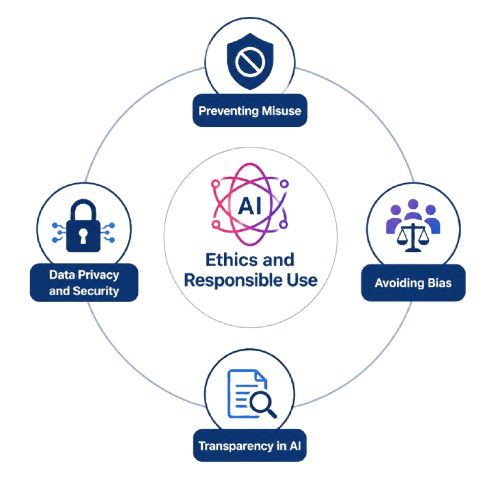
- Transparency in AI: AI systems should clearly explain how responses, recommendations, and generated content are produced so users can understand when they are interacting with artificial intelligence. Transparent AI improves trust, accountability, and responsible adoption while supporting ethical AI practices. To learn about AI-powered content creation, explore the AI Content Creation Tools Tutorial.
- Avoiding Bias: AI models should be trained using diverse, high-quality datasets and regularly evaluated for fairness to minimize bias and discrimination. Continuous monitoring, responsible model development, and inclusive testing help ensure accurate, reliable, and equitable outcomes for users across different backgrounds and use cases.
- Data Privacy and Security: Google Gemini securely processes user prompts, uploaded files, and documents using robust security practices. Organizations should protect sensitive information through encryption, access controls, and compliance with data privacy regulations. To understand responsible AI development, explore the Gen AI Course. Users should also understand how their data is collected, processed, and stored when using AI platforms.
- Preventing Misuse: Responsible AI development includes preventing the misuse of generative AI for misinformation, deepfakes, harmful content, and other unethical activities. Organizations should implement governance policies, content moderation, and monitoring systems to ensure AI is used safely and responsibly.
- Human Supervision: Human oversight remains essential for AI-assisted decision-making, particularly in sensitive fields such as healthcare, finance, education, and law. Reviewing AI-generated outputs, validating recommendations, and maintaining human accountability help improve accuracy, reliability, and trust in AI systems.
Conclusion and Next Steps
Google Gemini Tutorial for Beginners highlights the power of an advanced AI platform that combines conversational intelligence, multimodal processing, content generation, and productivity enhancement into a single system. Its seamless integration with Google Workspace makes it highly valuable for students, developers, businesses, and professionals across industries. Features such as text generation, image analysis, coding assistance, and task automation simplify workflows and improve efficiency significantly. At the same time, Gemini emphasizes the importance of responsible AI practices, including transparency, fairness, privacy protection, and human supervision in Gen AI Course. Freshers learning Gemini can develop valuable AI skills while gaining practical exposure to modern technologies and business applications. With continuous innovation, Google Gemini will continue transforming digital productivity, intelligent collaboration, and creative problem-solving. The next step for learners is to practice hands-on tasks, experiment with prompts, and explore real-world projects to build confidence and prepare for AI-driven careers.